


Your resume has roughly seven seconds to convince a hiring manager you can do the job. Those seven seconds happen after an Applicant Tracking System (ATS) has already scanned every word for technical keywords. PC skills are at the top of that list.
Whether you’re applying for an entry-level administrative role or a senior project management position, the right mix of computer skills can move your resume from the reject pile to the interview shortlist. The wrong mix, or the wrong wording, gets you filtered out before a human ever sees your name.
This guide walks through the PC skills employers actually look for in 2026, how to list them so both ATS systems and recruiters recognize them, and 47 pc skills for resume examples you can pull from based on the job you’re targeting.

What Counts as PC Skills for Resume?
PC skills (sometimes called computer skills or technical skills) cover any competency related to operating a personal computer and the software that runs on it. They range from basic, like sending an email or navigating a web browser, to highly specialized, like writing SQL queries or managing cloud infrastructure.
Recruiters group PC skills for resume into four broad categories:
- Operating Systems and File Management: Windows, macOS, Linux, file sharing, and basic troubleshooting.
- Office Productivity Software: Microsoft 365, Google Workspace, and document collaboration tools.
- Communication and Collaboration Platforms: Zoom, Slack, Microsoft Teams, and project management apps.
- Specialized or Role-Specific Software: Accounting platforms, CRMs, design tools, and programming languages.
Listing the right skills from the right category, matched to the job description, is what separates a resume that gets interviews from one that gets ignored.
Why PC Skills Matter More in 2026
According to the U.S. Bureau of Labor Statistics, demand for computer and IT skills continues to grow across industries, making proficiency in digital tools a core requirement rather than a nice‑to‑have. Building on that trend, three shifts in the hiring market have made the PC skills resume section the single most-scanned part of modern applications.
1. ATS filtering is nearly universal.
More than 97.8% of Fortune 500 companies and a growing share of mid-market employers route resumes through an ATS before a recruiter sees them. These systems search for exact-match keywords pulled from the job posting. If the posting asks for “Microsoft Excel” and your resume says, “spreadsheet software,” you may not make the cut.
2. Remote and hybrid work raised the baseline.
Even traditionally non-technical roles such as receptionists, warehouse leads, and retail managers now expect comfort with Zoom, shared documents, and team chat platforms. Listing these tools by name signals you can plug into a distributed team on day one.
3. AI tools are becoming a hiring criterion.
Familiarity with AI-assisted tools (ChatGPT, Microsoft Copilot, Google Gemini for Workspace, and Notion AI) is increasingly listed as a “nice to have” or even a required skill. Candidates who can show they’ve used these tools productively stand out.
47 PC Skills to List on Your Resume (By Category)
Don’t list every skill on this page, as recruiters can spot keyword stuffing instantly. Pick only those that genuinely apply to you as PC skills for resume and match them to the job description you’re targeting.
Microsoft 365 (Office) — 10 Examples
- Microsoft Word (document formatting, mail merge, and track changes)
- Microsoft Excel (formulas, pivot tables, VLOOKUP, XLOOKUP, Power Query, macros, and data analysis)
- Microsoft Access (database creation, queries, and reporting)
- Microsoft PowerPoint (slide design, animations, and presenter mode)
- Microsoft Outlook (calendar management, email rules, and shared mailboxes)
- Microsoft OneNote (note organization and shared notebooks)
- Microsoft Teams (channels, meetings, and file sharing)
- Microsoft OneDrive (file sync and sharing permissions)
- Microsoft Copilot (AI-assisted document drafting and analysis)
- Microsoft SharePoint (site administration and document libraries)
Google Workspace — 7 Examples
- Google Docs (collaborative editing, comments, and suggestions)
- Google Sheets (formulas, pivot tables, and ARRAYFORMULA)
- Google Slides (templates, transitions, and embedded media)
- Gmail (filters, labels, and shared inboxes)
- Google Calendar (scheduling, resource booking, and time zone management)
- Google Drive (folder structure and permissions management)
- Google Gemini for Workspace (AI-assisted writing and analysis)
Communication and Collaboration — 8 Examples
- Zoom (hosting, breakout rooms, recordings, and webinars)
- Slack (channels, integrations, and workflow automation)
- Discord (channels, voice chat, and integrations)
- Webex (meetings, hosting, and polling)
- Loom (asynchronous video communication)
- Notion (workspace setup, databases, and templates)
- Asana (project setup, task assignment, and reporting)
- Trello (board management, automation, and Power-Ups)
Operating Systems and File Management — 5 Examples
- Windows 11 (administration, troubleshooting, and file management)
- macOS (system preferences, file management, and Time Machine)
- Linux (basic command line and file permissions)
- File Compression and Archiving (ZIP, 7-Zip, and file conversion)
- Cloud File Storage (Dropbox, Box, OneDrive, and iCloud)
Web and Internet — 4 Examples
- Web Browser Proficiency (Chrome, Edge, Safari, and Firefox with extensions)
- Online Research and Source Evaluation
- Basic HTML and CSS (formatting web content)
- Content Management Systems (WordPress, Squarespace, and Wix)
Industry-Specific Software — 8 Examples
- QuickBooks (bookkeeping, invoicing, and reporting)
- Xero (accounting and bank reconciliation)
- Salesforce (lead management, reporting, and dashboards)
- HubSpot (CRM, email marketing, automation)
- Adobe Photoshop (image editing, layers, and basic retouching)
- Adobe Acrobat (PDF editing, form creation, and e-signatures)
- Canva (graphic design and brand templates)
- AutoCAD (2D drafting and technical drawings)
AI and Automation Tools — 5 Examples
- ChatGPT (drafting, summarization, and research)
- Claude (analysis, document review, and structured writing)
- Notion AI (task automation, content generation, and workflow support)
- Zapier (workflow automation between apps)
- Make/Integromat (multi-step automations)
How to List PC Skills on Your Resume
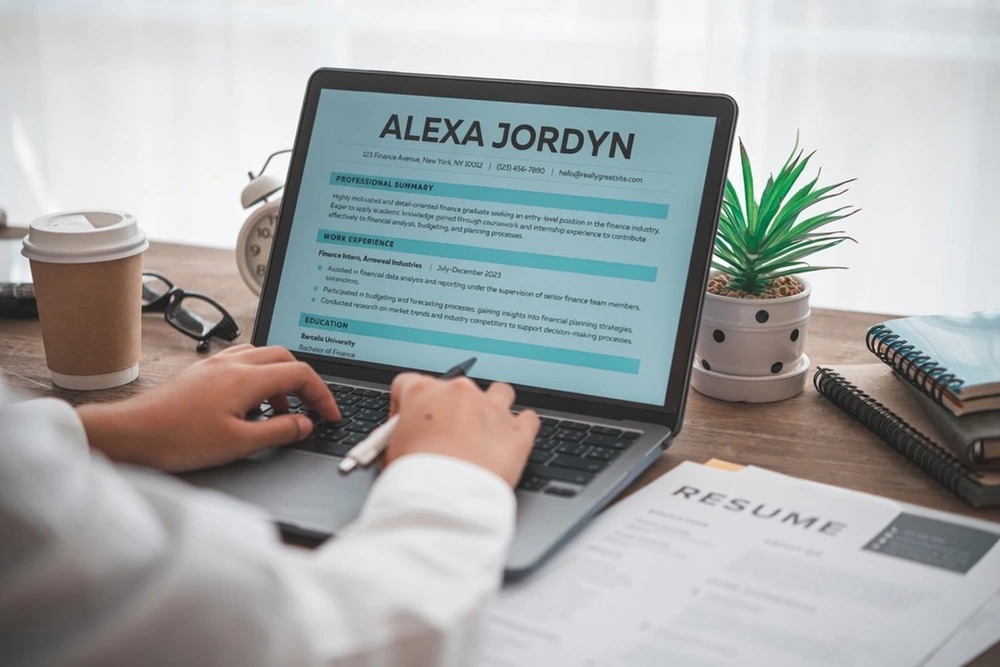
Where and how you list your PC skills for resume matters as much as which ones you choose. Three approaches work for most resumes:
1. Create a dedicated technical skills section.
Best for: Roles where technical skills are a major selection criterion (administrative, IT support, marketing, accounting, and design).
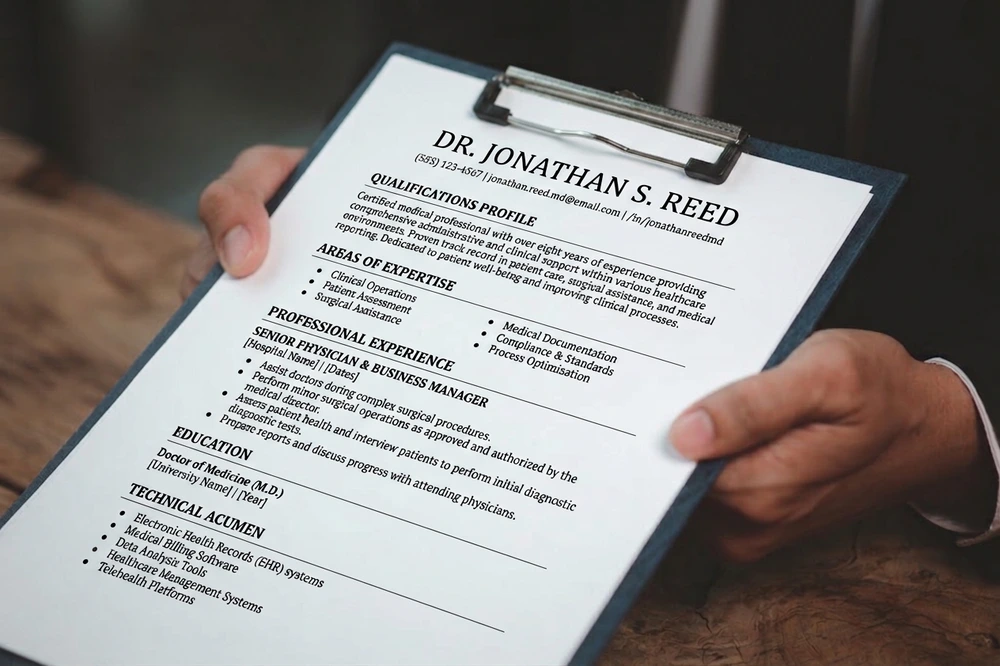
Place a “Technical Skills” or “Technical Acumen” section as the last section of your resume. Group skills by category so a recruiter can scan in two seconds:
- Microsoft 365: Word, Excel (pivot tables, VLOOKUP), PowerPoint, Outlook, and Teams
- Communication: Zoom, Slack, Microsoft Teams, and Loom
- AI Tools: ChatGPT, Microsoft Copilot, and Claude
2. Weave skills into work experience bullets.
Best for: Roles where the impact of using a tool matters more than the tool itself.
Instead of listing “Excel” as a standalone skill, show what you did with it:
- Built a pivot-table dashboard in Excel that reduced monthly reporting time by 40%.
- Set up a Notion workspace for the marketing team, cutting status-meeting time in half.
3. Highlight skills in a summary or profile section.
Best for: Career changers or applicants whose technical skills are central to the pivot.
Example professional summary line: “Administrative coordinator with five years’ experience supporting executive teams, advanced Excel proficiency (pivot tables and Power Query), and demonstrated success automating reporting workflows with Microsoft Copilot.”
Mistakes to Avoid
Even the strongest PC skills for resume can backfire if they’re presented poorly. Recruiters and ATS systems are quick to spot exaggeration, outdated tools, or keyword stuffing. Avoid these common pitfalls to keep your skills section credible and effective:
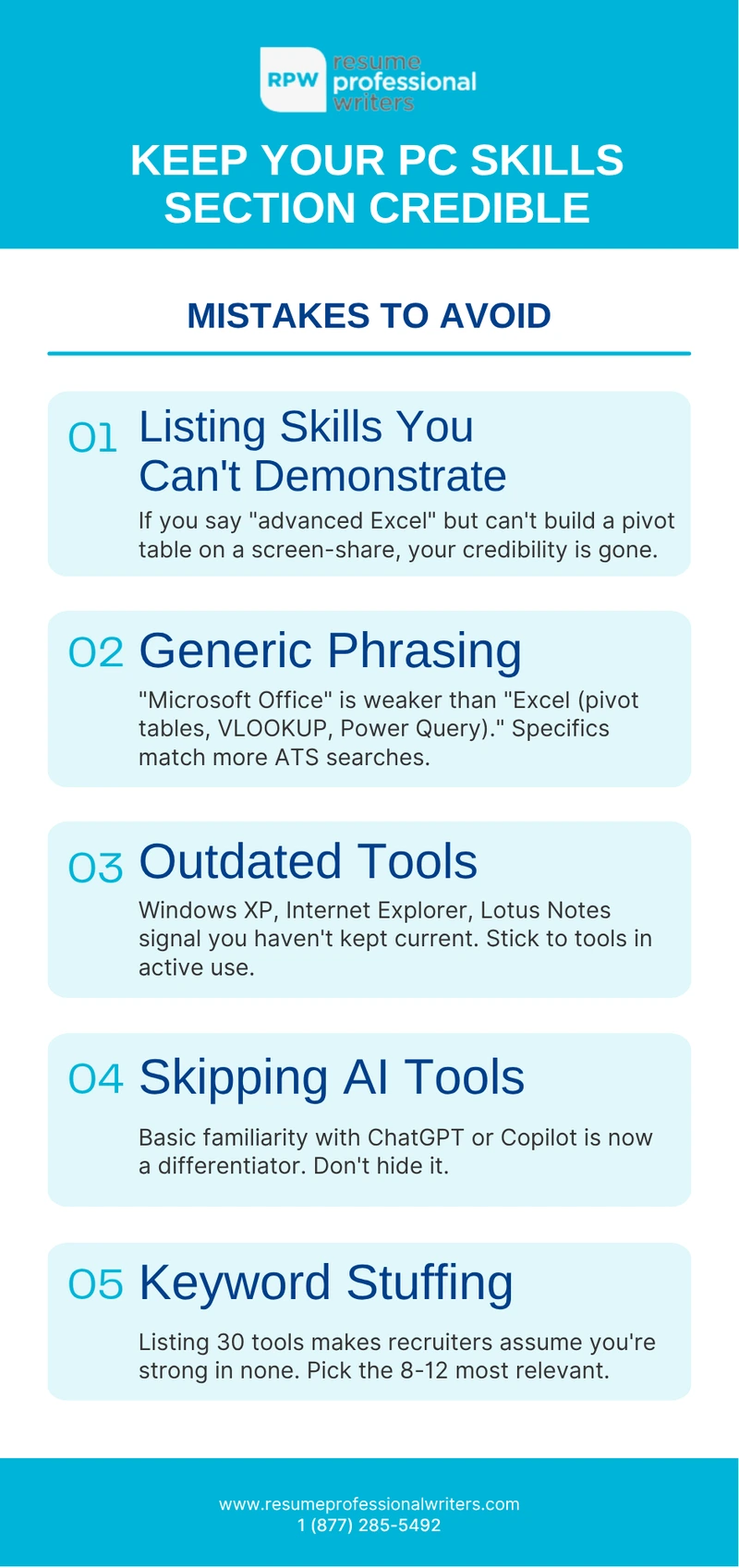
- Listing skills you can’t actually demonstrate. If your resume says “advanced Excel” and you can’t build a pivot table on a screen-share interview, you’ve torpedoed your credibility.
- Generic phrasing. “Microsoft Office” is weaker than “Microsoft Excel (pivot tables, VLOOKUP, Power Query).” The second version matches more ATS searches.
- Outdated tools. Listing Windows XP, Internet Explorer, or Lotus Notes signals you haven’t kept current. Stick to tools that are still in active use in 2026.
- Skipping AI tools entirely. Even basic familiarity with ChatGPT or Microsoft Copilot is now a differentiator. Don’t hide it.
- Keyword stuffing. If you list 30 software tools, recruiters assume you’re not strong in any of them. Pick the 8–12 most relevant.
How to Match Your PC Skills to the Job Description
The single highest-leverage move you can make: tailor your skills section to the exact language of the job posting. Three steps:
- Pull every software tool, platform, and technical skill mentioned in the posting into a list.
- Cross-reference against the skills you actually have. Use the same wording the posting uses — “Microsoft Excel” if that’s their wording, not “MS Excel” or “spreadsheets.”
- Reorder your technical skills section to put the most-mentioned tools first.
This takes ten minutes per application and dramatically increases your ATS match score.

Get Your PC Skills Section Reviewed by a Professional
Your computer skills section is one of the most ATS-sensitive parts of your resume — and one of the easiest places to lose an interview before you ever get the call. If you’re not sure your skills are landing the way they should, a professional review can identify the gaps in under a day.
Resume Professional Writers has helped more than 70,000 job seekers tailor their resumes for ATS systems and modern hiring workflows. Get a free resume review or explore our resume writing services to see how our team can position your PC skills the way today’s hiring managers expect.
Frequently Asked Questions
What are the most important PC skills for a resume in 2026?
The skills that appear in the largest share of job postings are Microsoft Excel, Microsoft Word, Outlook, Google Workspace (Docs, Sheets, Gmail), Zoom, Microsoft Teams, Slack, and at least one AI tool such as ChatGPT or Microsoft Copilot. Specialized tools depend on the role.
Should I list basic computer skills like email and internet?
Generally no. “Email” and “internet browsing” are assumed for any professional role. Listing them takes up space that could go to skills that actually differentiate you. The exception is entry-level postings that explicitly require basic computer literacy.
How do I list PC skills if I’m a beginner?
Be honest about your level. Use phrases like “working knowledge of Excel” or “basic familiarity with QuickBooks” rather than overstating. Pair the skill with a brief context: “Excel — used for weekly inventory tracking and basic formulas.”
Where should the technical skills section go on a resume?
For most roles, place it just below your professional summary and above work experience. For senior or executive roles, work experience usually leads, and technical skills sit below it.
Do I need to list every version of every software I’ve used?
No. List the current version or the umbrella tool. “Microsoft Excel” is sufficient — you don’t need to list Excel 2016, 2019, and 365 separately. Exception: certifications, which should specify the version (e.g., “Microsoft Office Specialist: Excel Associate (Microsoft 365)”).