


Administrative assistant covers a wide range of work, from front-desk reception to managing an executive’s entire calendar. That breadth is exactly why the role is so often misunderstood, and why so many administrative assistant resumes blur into one another.
This guide lays out the modern administrative assistant duties in full: the core responsibilities employers expect in 2026, the skills that belong on the resume, a ready-to-use job description template for hiring managers, and resume bullet examples candidates can adapt. Whether you’re writing the job post or applying for it, you’ll find what you need below.

What Do Administrative Assistant Duties Include in 2026
At its core, an administrative assistant keeps an office, team, or executive running smoothly by handling communication, scheduling, documentation, and day-to-day coordination. The role has shifted as workplaces have gone hybrid, with more digital scheduling, virtual meeting support, and reliance on cloud collaboration tools.
Typical responsibilities include:
- Managing calendars, scheduling meetings, and resolving conflicts across time zones.
- Answering and routing phone calls, emails, and messages; acting as a first point of contact.
- Preparing documents, reports, presentations, and correspondence.
- Organizing and maintaining digital and physical filing systems.
- Coordinating travel arrangements, itineraries, and expense reports.
- Supporting virtual and in-person meetings, including agendas, notes, and follow-ups.
- Ordering supplies and managing vendor or facilities relationships.
- Entering and maintaining data in CRMs, spreadsheets, or internal systems.
Standard Administrative Assistant Job Description Template
Hiring managers can adapt the template below by adjusting the company name, hours, and pay band to fit your organization.
Job Title
Administrative Assistant
Reports To
Office manager, department head, or the executive being supported.
Position Summary
The administrative assistant provides organizational and clerical support to keep the team or executive running efficiently. They manage schedules, communication, documentation, and coordination, and serve as a reliable point of contact for internal and external stakeholders.
Key Responsibilities
— Manage calendars and schedule meetings, calls, and appointments.
— Handle incoming communication and respond to or route inquiries appropriately.
— Prepare and format documents, presentations, and reports.
— Maintain organized digital and physical filing systems.
— Coordinate travel, itineraries, and expense reconciliation.
— Support meetings with agendas, minutes, and action items tracking.
— Order and manage office supplies; liaise with vendors as needed.
— Maintain accurate records in spreadsheets and internal systems.
Required Qualifications
— High school diploma or equivalent; associate or bachelor’s degree preferred for some roles.
— Proven administrative or clerical experience.
— Proficiency in Microsoft 365 or Google Workspace.
— Strong written and verbal communication.
— Excellent organization and time management.
Preferred Qualifications
— Experience supporting executives or multiple stakeholders.
— Familiarity with scheduling, CRM, or project-management tools.
— Comfort with virtual meeting platforms (Zoom, Microsoft Teams).
Administrative Assistant Skills That Belong on a Resume
Most administrative assistant resumes lose the interview in the skills section — either by listing vague traits (“organized,” “team player”) or by burying the tools employers actually search for. Split your skills into industry-specific, technical, and soft categories.
Industry‑Specific or Hard Skills
Hard skills show you can adapt to the specific industry you’re targeting, such as finance, healthcare, legal, or marketing support. They’re the differentiators that move your resume from generic to tailored.
- Project Coordination
- Schedule and Calendar Management
- Meeting Preparation
- Email Correspondence Handling
- Data Management and Reporting
- Healthcare and Medical Office Support
- Legal Administration
- Marketing Support
- Human Resources and Payroll Administration
- Accounting and Financial Administration
Technical Skills
These are the core office tools and platforms that prove you can handle the daily workflow. Recruiters scan for them in ATS parsers, so list the ones you’ve mastered and match the job posting’s wording.
- Microsoft 365 (Outlook, Word, Excel, PowerPoint, Teams)
- Google Workspace (Gmail, Calendar, Docs, Sheets)
- Calendar and Scheduling Tools (Calendly, Microsoft Bookings)
- Virtual Meeting Platforms (Zoom, Microsoft Teams, Webex)
- CRM or Database Entry (Salesforce, HubSpot, internal systems)
- Expense and Travel Tools (Concur, Expensify)
- Document Management and E-Signature (SharePoint, DocuSign)
Soft Skills
Soft skills highlight how you work with people and solve problems. They demonstrate emotional intelligence, adaptability, and professionalism—qualities that make you effective beyond the technical tools.
- Organization and Prioritization
- Written and Verbal Communication
- Discretion and Confidentiality
- Problem-Solving and Adaptability
- Attention to Detail
Pick the eight to twelve that genuinely apply and match the job posting’s wording, especially for ATS matching. For more on building this section, see our guide on what skills to put on a resume.
Administrative Assistant Resume Bullet Examples
Generic duties don’t impress recruiters; quantified results do. Turn each responsibility into an achievement with a number where you can.

- Managed calendars for three executives, coordinating 40+ meetings per week across four time zones with zero double-bookings.
- Reduced office supply spend by 15% by renegotiating vendor contracts and tracking usage in a shared spreadsheet.
- Processed and reconciled monthly expense reports averaging $25K, cutting reimbursement turnaround from 10 days to 3.
- Built a digital filing system that cut document-retrieval time in half for a 20-person team.
- Coordinated travel and itineraries for a 12-person leadership team, handling last-minute changes without missed connections.
How Administrative Assistant Roles Vary by Industry
The title is the same, but the work shifts depending on the setting. Tailor your resume to the environment you’re targeting.
Corporate or Office
Focuses heavily on executive scheduling, expense management, and cross-department coordination. Emphasize strong calendar management, stakeholder communication, and the ability to keep leadership aligned across multiple priorities.
Medical or Healthcare
Centers on patient scheduling, insurance verification, and familiarity with EHR systems and HIPAA. Highlight accuracy and confidentiality.
Legal
Requires document preparation, filing deadline tracking, and familiarity with case-management software. Showcase precision and deadline management are essential, as missed filings or errors can carry significant consequences.
Remote or Virtual
Leans on digital collaboration, asynchronous communication, and self-management. Underscore your virtual tool fluency, independence, and the ability to maintain productivity without direct supervision.
Administrative Assistant Salary and Outlook
Pay varies by region, industry, and experience. Entry-level administrative assistants typically start lower, while executive and specialized assistants earn meaningfully more. Roles supporting senior leadership, or those requiring industry-specific knowledge (medical, legal), command higher pay.
Demand remains steady as organizations continue to need coordination and support across hybrid teams, and candidates who pair strong organization with digital tool fluency stand out. As a rough guide, entry-level roles often fall in the lower range for your area, mid-level assistants with three to five years of experience earn a solid step above that, and executive or specialized assistants (medical, legal, or C-suite support) sit at the top of the band.
Certifications, bilingual ability, and proven experience with executive-level scheduling are the factors most likely to push pay higher. Check current local benchmarks on Indeed, Glassdoor, or the U.S. Bureau of Labor Statistics’ Occupational Employment and Wage Statistics before negotiating, since ranges move year to year.
Mistakes to Avoid on an Administrative Assistant Resume
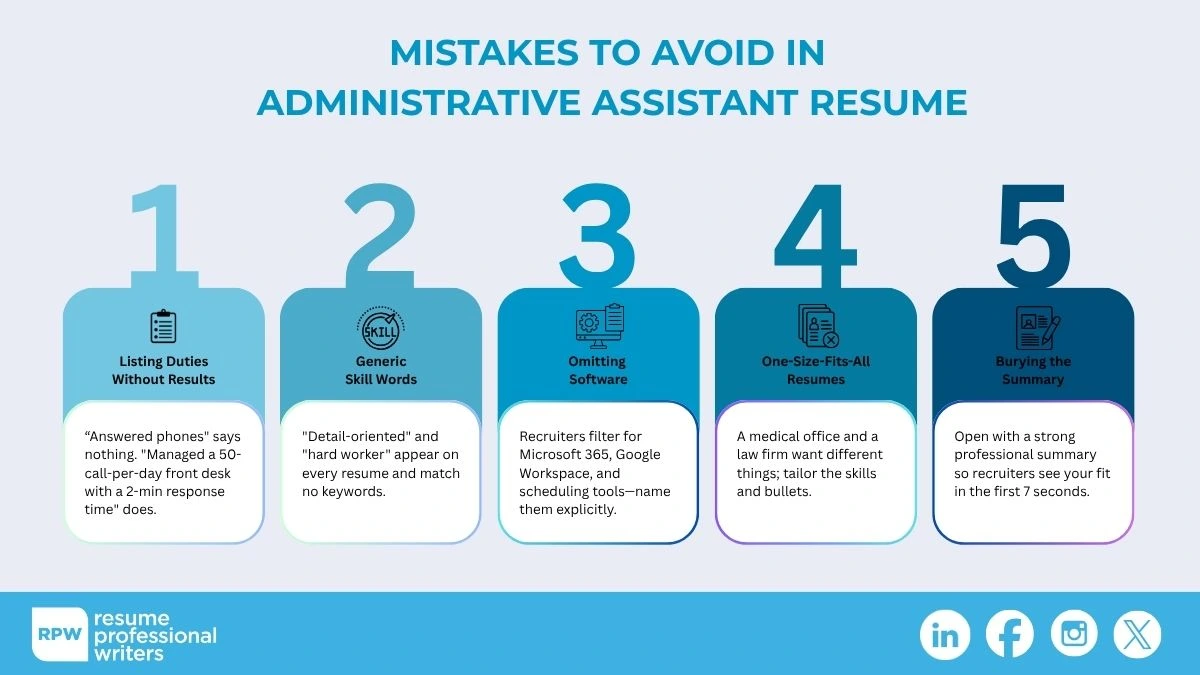
Even strong candidates lose interviews when their resumes fall into predictable traps. Recruiters skim in seconds, so vague duties, generic skills, or one‑size‑fits‑all content can sink your application before it’s read. Avoid these common mistakes:
- Listing Duties Without Results: “Answered phones” says nothing; “Managed a 50-call-per-day front desk with a 2-minute average response time” does.
- Generic Skill Words: “Detail-oriented” and “hard worker” appear on every resume and match no keywords.
- Omitting Software: Recruiters filter for Microsoft 365, Google Workspace, and scheduling tools — name them explicitly.
- One-Size-Fits-All Resumes: A medical office and a law firm want different things; tailor the skills and bullets.
- Burying the Summary: Open with a strong professional summary so recruiters see your fit in the first seven seconds.
A Day in the Life of an Administrative Assistant
Job postings list duties as a tidy bullet list, but the real role is about juggling competing priorities in real time. Understanding the rhythm of the job helps you write a resume that reflects how the work actually happens and helps hiring managers set realistic expectations.
A typical morning often starts with triaging the inbox and calendar: flagging urgent emails, confirming the day’s meetings, and resolving any scheduling conflicts before they cascade. Mid-morning shifts toward document work — formatting a report, building a presentation, or preparing materials for an upcoming meeting. Throughout the day, the assistant fields interruptions: a last-minute travel change, a vendor question, or a visitor at the front desk.
Afternoons frequently center on coordination — following up on action items from meetings, reconciling expenses, or updating records in the CRM. The best administrative assistants make this constant context switching look effortless, which is exactly the quality a resume should convey through concrete examples rather than adjectives.
How to Write an Administrative Assistant Resume Summary
Your resume summary is the first thing a recruiter reads, and for a broad role like this, it’s your chance to signal exactly what kind of administrative assistant you are. Aim for two to four sentences that name your experience, your strongest tools, and one quantified result.
Example:
Solution-oriented administrative assistant with six years of experience supporting corporate leadership teams. Skilled in calendar management, Microsoft 365, and travel coordination. Noted for proven ability to streamline the executive scheduling system that eliminated double bookings across three leaders. Committed to bringing the same organization to a fast-paced operations team.
Notice the four moves: identity, skills, proof, and direction.
For a full breakdown and a fill-in-the-blank formula, see our resume summary template guide.
How to Tailor Your Resume to the Job Posting
Because “administrative assistant” means something slightly different at every company, the single highest-leverage move is to tailor your resume to each posting. This is also how you clear the applicant tracking system (ATS) that screens most applications before a human reads them.
1. Read the posting and pull every named tool, platform, and responsibility into a list — Outlook, Concur, Salesforce, “calendar management,” “travel coordination,” and so on.
2. Cross-reference against what you actually do and mirror the posting’s exact wording in your skills section. ATS matching is literal: “Microsoft 365” and “MS Office” are not always scored the same.
3. Reorder your bullets so the responsibilities the posting emphasizes appear first. If the role is calendar-heavy, lead with scheduling achievements.
4. Swap in the exact job title. If the posting says, “Office Administrator,” use that phrasing in your summary rather than a generic variant.
This takes about ten minutes per application and meaningfully improves both your ATS match score and how quickly a recruiter sees your fit. If you’re unsure whether your resume is ATS-ready, our guide on what an ATS resume is walks through the formatting rules that keep your application readable.

Get Your Administrative Assistant Resume Reviewed by a Professional
Administrative roles are competitive precisely because the title is broad — which makes a sharp, tailored resume your biggest advantage. The right duties, the right tools, and quantified results can move you from the “maybe” pile to the interview list.
Resume Professional Writers has helped more than 100,000 job seekers tailor their resumes for ATS systems and modern hiring. Explore our resume writing services to have your administrative assistant resume written or reviewed by a professional.
Frequently Asked Questions
What are the main duties of an administrative assistant?
Managing calendars and scheduling, handling communication, preparing documents, maintaining filing systems, coordinating travel, supporting meetings, and keeping records accurate. The exact mix depends on the employer and industry.
What skills should an administrative assistant put on a resume?
A blend of industry-specific or hard skills (email correspondence/data management, medical office support, project coordination), technical skills (Microsoft 365, Google Workspace, scheduling and CRM tools, virtual-meeting platforms), and soft skills (organization, communication, discretion, attention to detail). Match the specific tools named in the job posting.
What’s the difference between an administrative assistant and an executive assistant?
An administrative assistant supports a team, department, or office broadly. An executive assistant supports one or a few senior leaders and typically handles more complex scheduling, confidential information, and higher-level coordination.
Do you need a degree to be an administrative assistant?
Usually no — a high school diploma plus relevant experience and software proficiency is enough for most roles. Some corporate or specialized positions prefer an associate or bachelor’s degree.
How do I make my administrative assistant resume stand out?
Quantify your achievements, name the specific tools you use, tailor the resume to the industry, and open with a focused professional summary. Avoid generic trait words.