


More than 90% of large employers screen resumes through an applicant tracking system (ATS) before a human ever sees them. If your resume’s format confuses the parser, your experience isn’t captured correctly, leaving you ranked low and unlikely to be reviewed in time. An ATS-friendly resume format is the price of entry for nearly every online application in 2026.
This guide gives you the exact formatting rules that keep a resume readable to both software and recruiters: the right layout, section order, fonts, file type, and the design choices that quietly break parsing. Follow it and your resume gets scored on its content, not rejected on its formatting.
What Does an ATS-Friendly Resume Format Actually Mean
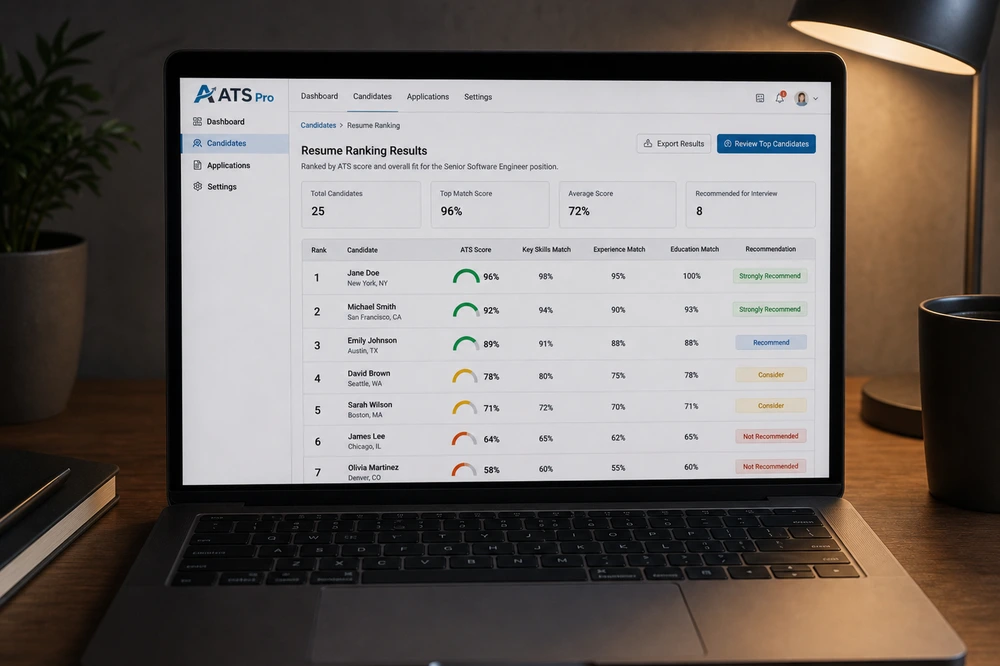
An ATS is software that reads, parses, and ranks resumes so recruiters can manage high application volumes. When you apply, the ATS extracts your text into structured fields, such as name, contact info, work history, and skills, then scores it against the job description. An ATS-friendly resume format is simply one that the software can parse accurately and completely.
“Friendly” does not mean plain or ugly. It means structured: standard sections, clean text, and a layout the parser can follow top to bottom. A resume can look polished and still be perfectly ATS-friendly. The two goals are not in conflict, as long as the design choices don’t hide text from the parser. For the broader picture of how these systems work, see our guide on what an ATS resume is.
The Core ATS Formatting Rules
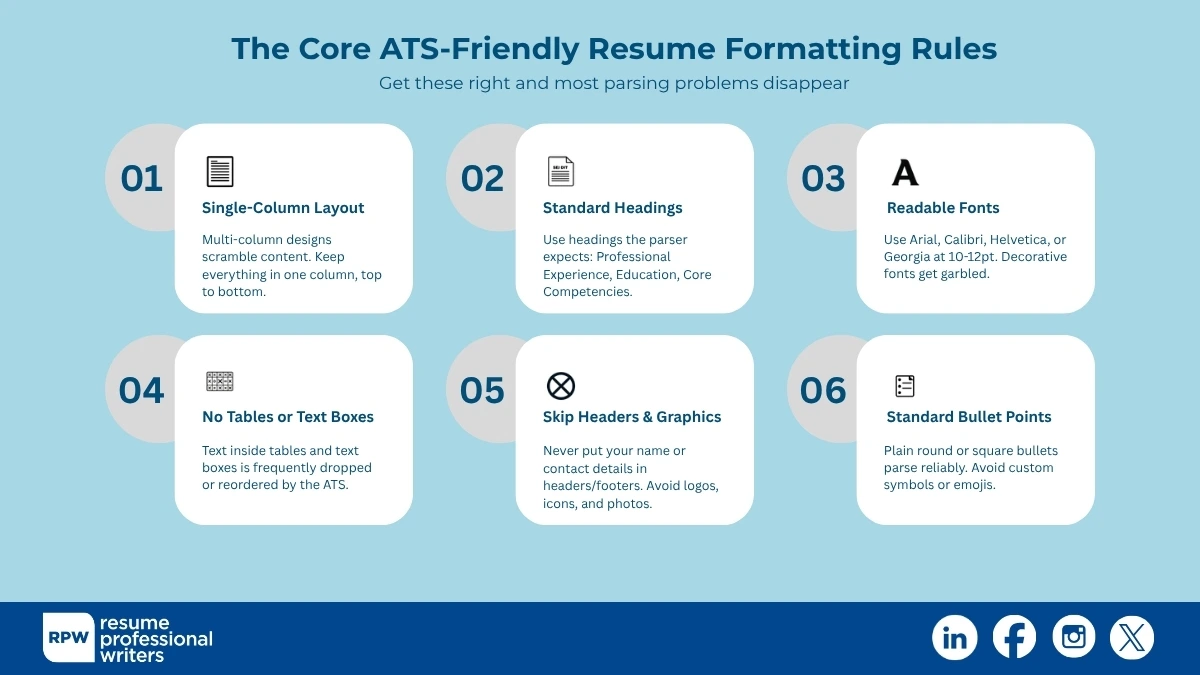
These are the non-negotiables. Get these right and most parsing problems disappear.
1. Use a single-column layout
Multi-column designs are the single biggest cause of parsing errors. Many ATS read left to right across the full width, scrambling two-column content. Keep everything in one column, top to bottom.
2. Stick to standard section headings
Use the headings the parser expects: “Professional Experience,” “Education,” “Core Competencies,” “Certifications.” Creative labels like “Where I’ve Made an Impact” can cause the ATS to miss an entire section.
3. Choose a standard, readable font
Use common fonts — Arial, Calibri, Helvetica, Georgia, Aptos, or Segoe — at 10–12pt for body text. Decorative or uncommon fonts can render as garbled characters when parsed.
4. Avoid tables, text boxes, and columns for layout
Text inside tables and text boxes is frequently dropped or reordered by the ATS. Lay out content with simple paragraphs and bullet points instead.
5. Skip headers, footers, and graphics for key info
Many parsers ignore the header/footer area, so never put your name or contact details there. Avoid logos, icons, photos, and charts — they carry no parseable text and can confuse some systems.
6. Use standard bullet points
Plain round or square bullets parse reliably. Avoid custom symbols, emojis, or images as bullets.
The Right Section Order for an ATS Resume
A clean, predictable structure helps both the parser and the recruiter. For most candidates, use this order:
- Name and contact information (in the body, not the header).
- Professional summary — a 2–4 sentence pitch with target keywords. See our resume summary template for the formula.
- Skills — a focused list mirroring the job posting’s key terms.
- Work experience — reverse-chronological, with quantified bullet points.
- Education and certifications.
A fresh graduate or entry-level candidate may lead with education over experience, but the principle holds: standard sections, in a logical order, with no surprises for the parser.
File Type: PDF or Word?
Both can be ATS-friendly, but the safest choice depends on the application.
- Use Word (.docx) when the application or ATS specifically requests it, or when you’re unsure — almost every ATS parses Word reliably.
- Use PDF when the system accepts it and you want to lock your formatting. Modern ATS handle text-based PDFs well; just make sure it’s a true text PDF, not a scanned image.
- Never submit an image-only file (a scanned or exported-as-image resume). The ATS sees no text and scores you zero.
When the posting names a format, follow it exactly. When it doesn’t, .docx is the conservative default.
How to Make Your Content ATS-Friendly (Not Just the Format)
Clean formatting gets your resume parsed; the right keywords get it ranked. Format and content work together.
1. Mirror the job description’s exact wording for skills and titles. ATS matching is literal: “project management” and “project manager” are scored differently.
2. Spell out then abbreviate key terms once, e.g. “search engine optimization (SEO),” so you match either phrasing.
3. Quantify achievements with numbers; they make bullets credible to the recruiter who reads after the ATS.
4. Tailor each application. A resume matched to the posting clears the keyword threshold far more often than a generic one.
Common Formatting Mistakes That Get Resumes Overlooked

Think of ATS like a scanner: if the layout confuses it, your resume gets skipped. These are the most common formatting errors that sabotage otherwise solid applications:
- Two-column layouts that scramble when parsed.
- Contact info hidden in the header or footer where the parser ignores it.
- Skills or job titles trapped inside tables or text boxes.
- Creative section headings the ATS doesn’t recognize.
- Graphics, logos, or photos standing in for text.
- Submitting an image-based PDF the ATS can’t read.
- Overstuffing keywords — listing 30 tools signals weakness and can trip spam filters.
Designed Resume vs. ATS Resume: Do You Need Two Versions?
A question that comes up constantly: if ATS-friendly means single-column and plain, do you have to give up a polished, designed resume entirely? The short answer is no, but it helps to understand when each version is appropriate.
For any online application that routes through an ATS, which is most of them, submit the ATS-friendly version. This is the file that needs to parse cleanly, match keywords, and survive the software screen. It can still be attractive: good spacing, clear hierarchy, and a readable font go a long way without breaking the parser.
A heavily designed resume, with multi-column, with color blocks, icons, or a portfolio-style layout, has its place, but a narrow one. Use it when you hand a resume directly to a person: at a networking event, a career fair, or as a portfolio piece for design-adjacent roles. The moment that file goes into an online application box, switch back to the ATS-friendly version.
Maintaining one master ATS-friendly resume and a separate designed copy is reasonable; just never confuse which goes where. For inspiration on clean, parseable layouts, see our guide on the best resume format examples.
How to Test Whether Your Resume Is ATS-Friendly
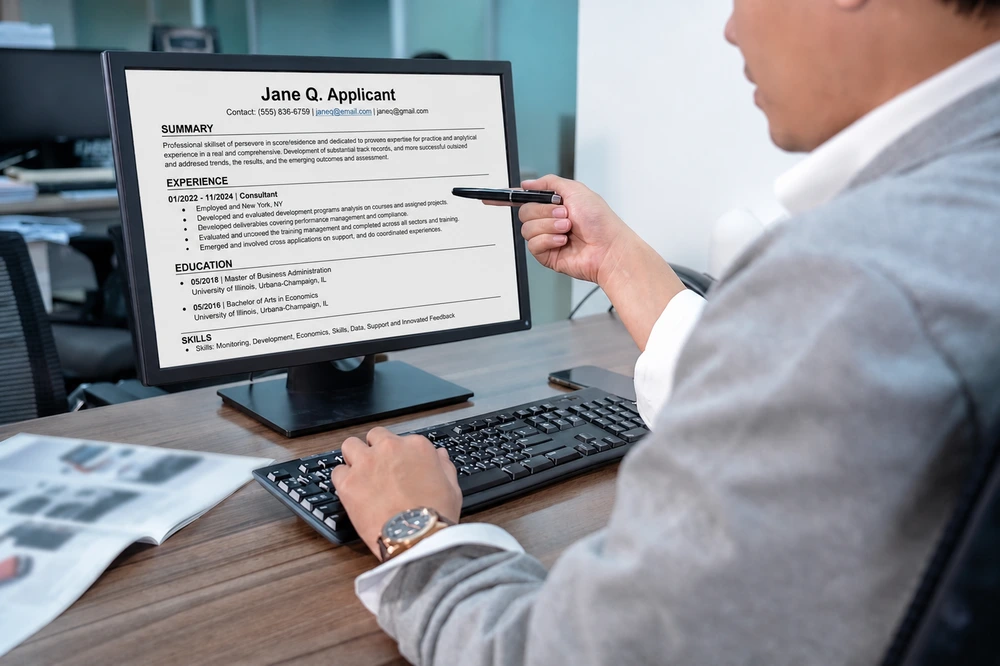
You don’t have to guess. A few quick checks reveal most problems before you apply.
- Copy-paste test: open your resume, select all, and paste into a plain text editor. If the order scrambles or text disappears, the ATS will struggle too.
- Read it top to bottom: confirm the plain-text version flows in a logical single column with every section intact.
- Check the headings: make sure standard labels survived the paste and nothing is missing.
- Confirm contact info appears in the body text, not only in a header.
If the pasted version reads cleanly, your format is almost certainly ATS-friendly.
A Simple ATS-Friendly Resume Template
If you want a structure to copy, the layout below parses cleanly across virtually every system. Keep it single-column and fill each section with tailored content.
[Full Name] — placed in the body as the first line, at 14–16pt.
[Phone] · [Professional email] · [City, State] · [LinkedIn URL] — one plain line directly under your name, in the body, not a header.
Qualifications Summary — 2 to 4 sentences naming your title, top skills, and one quantified result.
Core Competencies — a single line or short list of 8 to 12 skills using the exact terms from the job posting.
Professional Experience — reverse-chronological. For each role: job title, company, location, dates, then 3 to 5 quantified bullets.
Education — degree, institution, graduation year.
Certifications — relevant credentials with the issuing body and year.
Set body text in a standard font at 10–12pt, use plain round bullets, leave comfortable margins, and save as a text-based PDF or .docx. That is the entire formula — structure over decoration.
ATS and AI: What’s Changing in 2026
Applicant tracking systems are no longer just keyword matchers. A growing number now layer AI on top of traditional parsing, using natural-language models to interpret context, infer skills, and rank candidates with more nuance than a literal keyword count. That shift changes how you should think about an ATS-friendly resume.
The formatting rules in this guide still apply — clean parsing is the foundation, and AI can’t evaluate text it can’t extract. But on top of clean formatting, AI-enabled systems reward natural, specific language over robotic keyword stuffing. A bullet that reads “led a five-person team to cut onboarding time by 30%” communicates skill and impact that an AI model can interpret, whereas a wall of comma-separated buzzwords does not.
Two practical takeaways for 2026:
- Write for humans first, then confirm the format is machine-readable. Modern systems increasingly reward clarity and context, which also happens to be what recruiters want.
- Don’t try to game AI screening with hidden white-text keywords or invisible padding. Newer systems flag these tricks, and a human reviewer who spots them will discard the resume outright.
The safest strategy hasn’t changed at its core: a cleanly formatted, single-column resume with specific, quantified, naturally written content. That format parses on legacy ATS and reads well to AI-enabled systems and human recruiters alike.
Get an ATS-Friendly Resume Built by Professionals
ATS formatting is unforgiving — one two-column layout or a header-hidden phone number can sink an otherwise strong application. The rules aren’t complicated, but they’re easy to miss, and you rarely get feedback on why an application stalled.
Resume Professional Writers has helped more than 100,000 job seekers build resumes that clear ATS systems and land in front of recruiters. Explore our resume writing services to have an ATS-friendly resume written or reviewed by a professional.
Frequently Asked Questions
What is the best resume format for ATS?
A single-column, reverse-chronological layout with standard section headings, a common font at 10–12pt, and no tables, text boxes, or graphics for key information. This parses reliably across virtually every ATS.
Are PDFs ATS-friendly?
Text-based PDFs are parsed well by most modern systems. The risk is image-based or scanned PDFs, which contain no readable text. When in doubt — or when the application requests it — use a Word .docx file.
Do ATS systems read columns and tables?
Often poorly. Many parsers read straight across the page, scrambling multi-column content, and frequently drop text inside tables and text boxes. Use a single-column layout with plain paragraphs and bullets instead.
Will a creative or designed resume hurt my chances?
It can, if the design hides text from the parser. You can have a clean, attractive resume that’s still ATS-friendly — the key is keeping all important text in standard, parseable elements.
How do I know if my resume passed the ATS?
You usually won’t get direct confirmation, but the copy-paste test is a reliable proxy: if your resume’s text pastes cleanly and in order into a plain text editor, the ATS can read it.