

How to put LinkedIn on resume?
Short answer: Place your customized LinkedIn URL in the contact-information block at the top of your resume, on the same line as your phone and email. Customize the URL first (Edit public profile & URL → set it to firstname-lastname). Make sure your profile is complete before linking. Format it as `linkedin.com/in/janedoe` — no `https://` prefix, no “LinkedIn:” label.
The right way how to put LinkedIn on resume is to place a clean, customized URL in your contact information block at the top of the page — alongside your phone, email, and city. The wrong way is to drop a default linkedin.com/in/janedoe-1234567xyz link with a half-finished profile behind it. Most job seekers do the second. Recruiters notice.
This piece walks through where the LinkedIn URL belongs on the page, how to customize it, when to hyperlink and when not to, and the one prerequisite step almost every guide skips: making sure your profile is actually worth linking to before you link.
The One Step Most Guides Skip: Finish the Profile First
Linking to a half-finished LinkedIn profile is worse than not linking at all. When a recruiter clicks through to your profile expecting a more detailed picture and finds an empty experience section, no headline, or a default photo, the mismatch reads as carelessness — and it makes them less likely to interview you, not more.
Before you add the URL to your resume, complete at least these six profile elements:
1. A real photo. A professional headshot is ideal; a clear, well-lit phone selfie against a plain background works as a backup. No avatars, no group photos.
2. A headline that goes beyond your job title. “Marketing Manager | B2B SaaS | Lead-gen and pipeline acceleration” beats “Marketing Manager.” 220 characters max.
3. Every job from the past 10 years, with dates, titles, and a 2–4-line description per role. Empty work-history sections are the #1 red flag recruiters cite.
4. A skills section with at least 15 endorsable skills — match these to the work you’re targeting.
5. A short About section. 3–5 paragraphs in your own voice. Not a wall of text; not three lines.
6. At least 50 connections. LinkedIn shows “X mutual connections” prominently; sub-50 profiles look new or under-built.
If your profile isn’t at this baseline yet, leave the URL off your resume until you finish it. Recruiters who see the gap remember it. Knowing how to put LinkedIn on resume correctly starts with ensuring the profile itself is complete and credible.
Where the LinkedIn URL Belongs on Your Resume
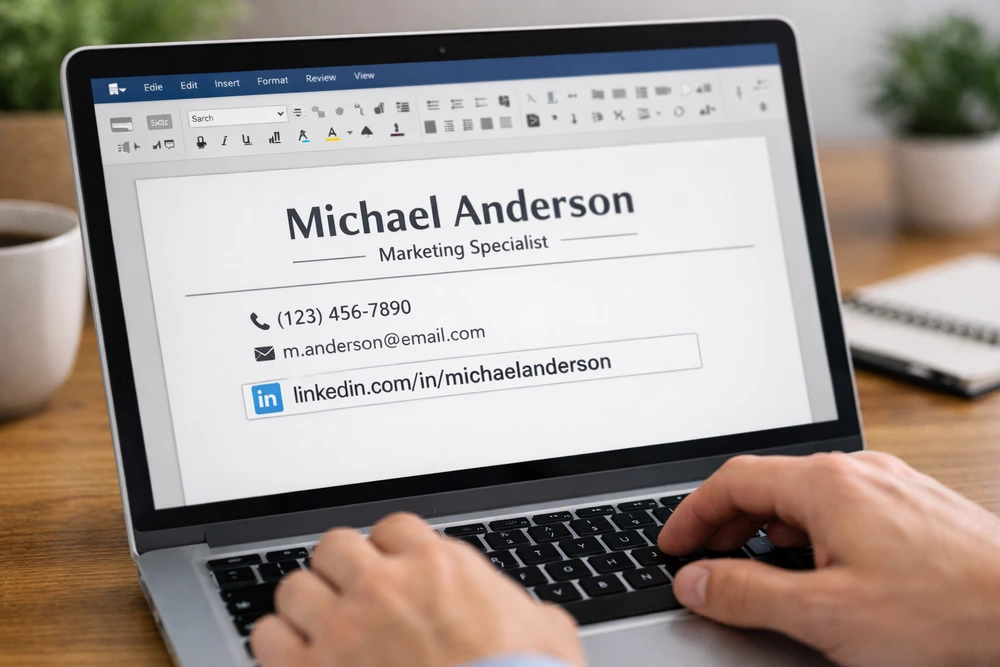
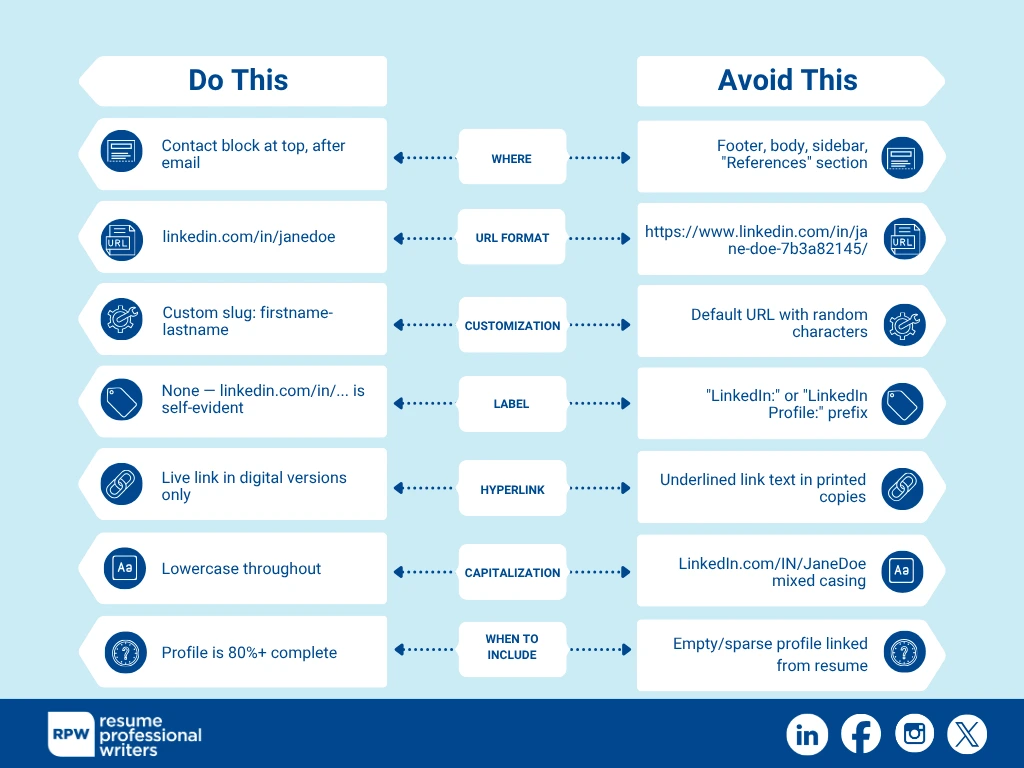
The LinkedIn URL goes in the contact-information block at the top of your resume, right after your phone number and email address. It should never appear in the body of the resume, in a footer, or as a footnote.
A standard contact block in 2026 looks like this:
Jane Doe
Seattle, WA · 555-0100 · jane.doe@email.com · linkedin.com/in/janedoe
That’s it. No “LinkedIn Profile:” label, no `https://www.` prefix unless your formatting requires it. The recognizability of `linkedin.com/in/…` is enough; readers and ATS parsers both know what it is.
How to Customize Your LinkedIn URL (30 Seconds)
LinkedIn assigns everyone a default URL with random numbers and letters: `linkedin.com/in/jane-doe-7b3a82145`. Customize it before adding it to your resume. LinkedIn’s official URL customization help covers the action; the 30-second version:
- Open your LinkedIn profile (logged in, web browser).
- Click Edit public profile & URL in the top-right of your profile page.
- Under “Edit your custom URL,” click the pencil icon next to the URL.
- Enter your preferred slug — usually `firstname-lastname` or `firstnamelastname`. Letters and numbers only; no spaces.
- Click Save.
Now your URL is `linkedin.com/in/janedoe`. Clean, memorable, and signals you’ve actually invested in your profile. This step is essential if you want to show recruiters you understand how to put LinkedIn on resume correctly — with a URL that looks professional and scannable.
If your preferred slug is taken, try `firstname-lastname-city` or `firstname-middle-lastname`. Avoid using your year of birth or a job title — both age out of relevance fast. Our deeper guide on LinkedIn URL customization covers what to do if your name is taken on LinkedIn entirely, and walks through edge cases like hyphenated names and post-marriage updates.
How to Format the URL on Your Resume
Three formatting choices that all work, ranked by 2026 best practice:
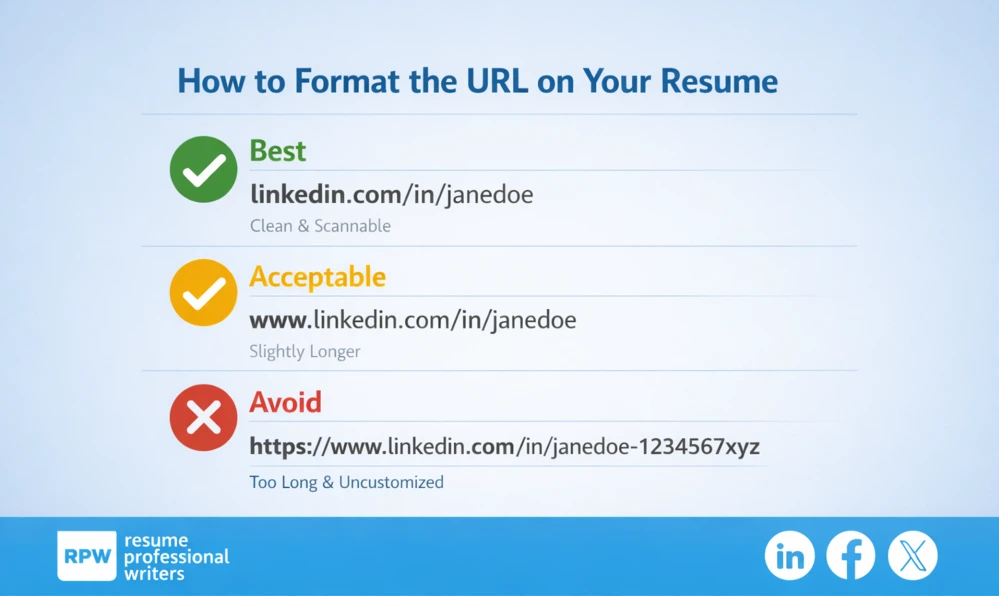
In a digital resume (PDF or .docx submitted online), you should also hyperlink the text so the recruiter can click through. In print, drop the hyperlink so it doesn’t appear as bright blue underlined text on the page.
When to Hyperlink and When Not To
For digital submissions — the vast majority of applications in 2026 — hyperlinking is correct. The recruiter clicks through to verify your profile in one motion. Most ATS platforms preserve the hyperlink during parsing.
For print submissions — increasingly rare, but they happen at networking events, in-person interviews, and some old-school industries — remove the hyperlink before printing. A bright blue underlined URL on a printed page reads as digital noise.
In Microsoft Word, you can add or remove a hyperlink by right-clicking the text and selecting Hyperlink (to add) or Remove Hyperlink (to remove). In Google Docs, it’s the same right-click menu. In Pages, it’s Insert → Hyperlink.
If you’re submitting through an ATS-routed application, keep the hyperlink. The system extracts the URL string regardless of formatting, but the hyperlink helps when a human reviewer pulls your resume from the queue.
Where AI Resume Builders Get LinkedIn Wrong
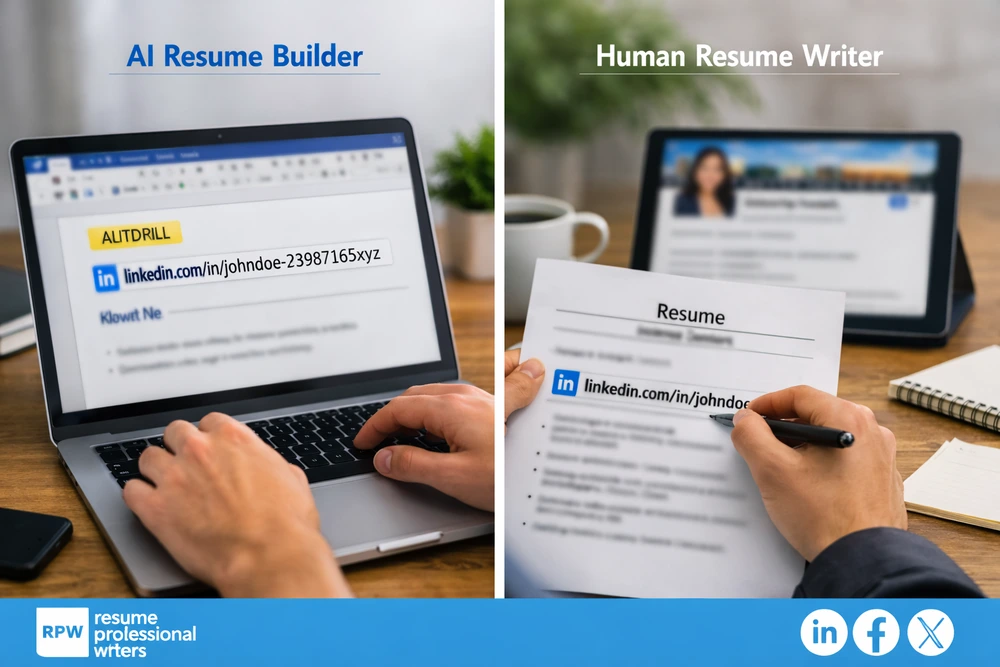
Most AI resume builders — Teal, Rezi, Kickresume, Zety, Enhancv — auto-paste your LinkedIn URL when they detect a profile. They don’t:
- Check whether your LinkedIn profile is actually complete before linking it
- Customize the URL slug (most leave the random numbers)
- Match your headline or About section to the resume’s positioning
- Flag the print-vs-digital hyperlink distinction
A human resume writer understands how to put LinkedIn on a resume and thinks of the LinkedIn URL as part of a connected system: the resume tells the recruiter what they need in 7 seconds, and the LinkedIn profile is the deeper-context layer they review when they’re considering an interview. AI builders treat the URL as a one-way text string. The difference shows up in callback rates.
If you’re new to the platform itself, our explainer on what LinkedIn is and how to use it for your career covers the basics — search visibility, recruiter reach, and the connection economy that makes the link worth including.
For samples of strong LinkedIn profiles that pair well with a resume, see our live LinkedIn profile examples library.
Common Mistakes That Make Recruiters Skip Your Profile
1. Default LinkedIn URL with random numbers
Customize it. It takes 30 seconds and signals you take your professional brand seriously.
2. No photo, or a casual selfie
A clean headshot against a plain background is enough — you don’t need a professional photographer. Just don’t leave the default avatar.
3. Profile lists fewer roles than the resume
If your resume shows 5 jobs and your LinkedIn shows 2, recruiters wonder which version is real. Sync them before linking.
4. LinkedIn headline is just your current job title
Use the full 220 characters to position yourself: role + industry + signature capability.
5. About section is empty or 3 generic lines
Recruiters spend more time on this section than any other after the experience list. Treat it as a cover-letter equivalent.
6. Listing the URL as “LinkedIn: linkedin.com/in/janedoe.”
The “LinkedIn:” label is redundant — `linkedin.com/in/janedoe` is self-evident. Save the line space.
What If You Don’t Have a Strong LinkedIn Profile?
Two options, ranked:
1. Build the profile first, then add the URL. A weekend of focused effort gets you to the 80%-complete baseline. The investment compounds — your LinkedIn profile drives recruiter inbound for years, not just this job search. It’s the most strategic approach if you’re learning how to put LinkedIn on resume the right way: only link once your profile reflects your professional brand.
2. Leave the URL off the resume entirely. A resume without a LinkedIn URL is fine in 2026. A resume linking to an empty or half-finished profile is worse than no link at all. If you can’t commit to building the profile this week, skip the URL.
There’s no third option where you put a weak link on the resume and hope recruiters don’t click through. They click through.

Get Your LinkedIn Profile Professionally Written
If your profile is incomplete, written years ago, or just doesn’t match how you’d describe your career today, a professional rewrite pays for itself in interview callbacks. The LinkedIn profile is the most-viewed asset in your job search — recruiters check it before deciding whether to interview, before deciding whether to extend an offer, and (often) before negotiating compensation.
If you’d like our team to write your LinkedIn profile alongside your resume, our LinkedIn profile writing service handles the headline, About section, experience descriptions, and skills section as a coordinated set with your resume. No pressure, no obligation.
For more on resume positioning that pairs with a strong LinkedIn presence, our career library covers the connected pieces.
Frequently Asked Questions
Should you put your LinkedIn on your resume in 2026?
Yes — if your LinkedIn profile is at least 80% complete with a headshot, headline, work history, and a real About section. A clickable, customized LinkedIn URL increases recruiter trust by giving them a way to verify your background and read additional context that doesn’t fit on a resume. If your profile isn’t there yet, build it first; linking to a half-finished profile hurts your application more than no link at all.
Where should the LinkedIn URL go on a resume?
In the contact-information block at the top of your resume, right after your phone number and email address. Don’t put it in the body of the resume, in a footer, or as a footnote. A standard format: `Name · City · phone · email · linkedin.com/in/customslug`.
How do I make my LinkedIn URL look professional?
Customize the URL through LinkedIn’s profile settings. Open your profile, click “Edit public profile & URL” in the top-right, then click the pencil next to the URL field. Replace the default random-character slug with `firstname-lastname` or `firstnamelastname`. The whole process takes about 30 seconds and converts an awkward `linkedin.com/in/jane-doe-7b3a82145` into a clean `linkedin.com/in/janedoe`.
Do you need https:// in the LinkedIn URL on a resume?
Not for digital or print submissions. `linkedin.com/in/janedoe` is universally recognized and renders cleaner on the page. The full `https://www.linkedin.com/in/janedoe` is acceptable but unnecessary; ATS systems and recruiters parse both formats correctly.
Should I hyperlink the LinkedIn URL on my resume?
Yes for digital submissions (PDF or Word document submitted online or via email) — the recruiter can click through in one motion. No for printed resumes — the hyperlink renders as bright blue underlined text and looks distracting on paper. In Microsoft Word, you can toggle the hyperlink by right-clicking the text and selecting Hyperlink or Remove Hyperlink.